For teams already on AEM as a Cloud Service
Fix Cloud Manager builds failing on removed or deprecated APIs
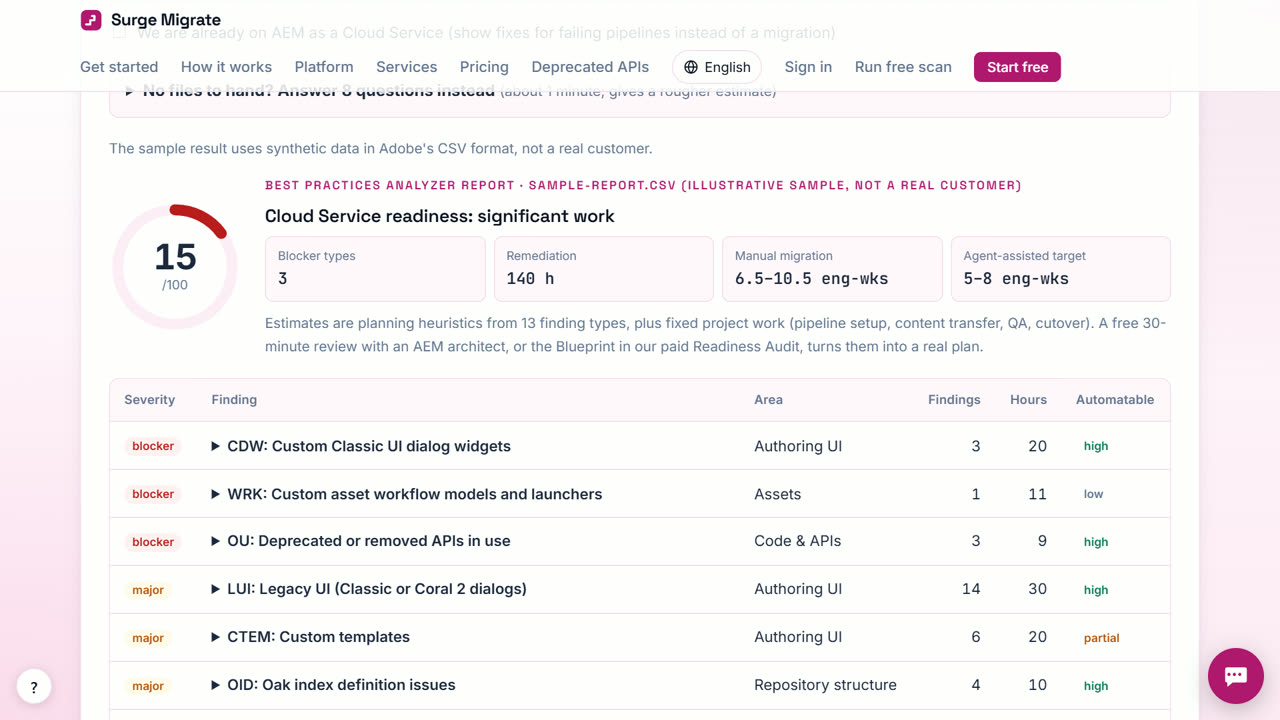
When Cloud Manager fails on removed or deprecated APIs, Surge Migrate finds every use in your repository with file and line, fixes the mechanical ones (Commons Lang 2, Log4j 1, CQ XSS, CQ Workflow, OSGi configs) as separate pull requests, and can re-scan on every push so the next removal is caught early.
The problem
Adobe removes APIs on a schedule, and a pipeline that passed last month fails today. The error points at one use; there are usually dozens more across bundles.
What to know first
Cloud Manager runs code-quality checks on every pipeline, and Adobe publishes removal dates for deprecated APIs. When a removal date passes, a build that used to pass can fail on an API your code has used for years. The deprecated APIs pages on this site list each removed API, what replaces it, and how automatable the change is.
How to do it in Surge Migrate
- Scan the repository. Drop a zip of the repository on the readiness scan and tick that you are already on Cloud Service. Every removed or deprecated API use is listed with file, line and the replacement.
- Create your free account and a project. Press Start free, enter your work email and open the one-time link (there is no password). Name your workspace, then start a project and pick the service and how you want to work. Your first 3 months are free.
- Connect the repository. Connect GitLab, Bitbucket Cloud or Azure DevOps with an access token. The default branch is scanned on our server.
- Open the codemod pull requests. Press the button to open automatic fixes. Each deterministic codemod opens its own pull request on its own branch, with notes on what changed and what to check.
- Merge and let Cloud Manager verify. Review and merge; Cloud Manager runs the build. Changes that need judgement, such as admin resolvers or schedulers, are drafted on our own AI server and reviewed by an engineer.
- Turn on Deprecation Watch. After the fix, Deprecation Watch re-scans on push or nightly and flags new uses of APIs Adobe is removing, mapped to Adobe's removal dates.
What you get
- Every removed-API use, not just the one in the build log
- One pull request per pattern
- Removal dates for each API
- Alerts before the next removal fails a build
When Surge Migrate is not the right tool
If the build fails for reasons other than API removals (tests, code quality thresholds, dependency conflicts), the scan won't explain it. Reading Cloud Manager build logs automatically is not available yet.
Questions
Does it read the Cloud Manager build log?
Not yet. It reads pipelines and failed code-quality metrics read-only, and scans the code itself.
Does it work with GitHub?
Not yet: the Surge GitHub App is being set up. Upload a zip, or use GitLab, Bitbucket Cloud or Azure DevOps.
Which fixes need no AI?
Commons Lang 2 to 3, Log4j 1 to SLF4J, OSGi configs to .cfg.json, CQ XSS to Sling XSS and CQ Workflow to Granite Workflow.
Read next
- Replace Log4j 1, Commons Lang 2 and old OSGi configs across an AEM codebase
- Migrate AEM 6.5 to AEM as a Cloud Service
- Cloud Manager failing on deprecated APIs? Fix it in this order
- Surge Migrate vs your own team with Adobe's free tools
- Pricing: free for 3 months, then at cost
Try it on your own code
The readiness scan is free and needs no account. The portal is free for your first 3 months.
Last updated 1 November 2026 · by Venu Gopal Reddy Muvva, founder